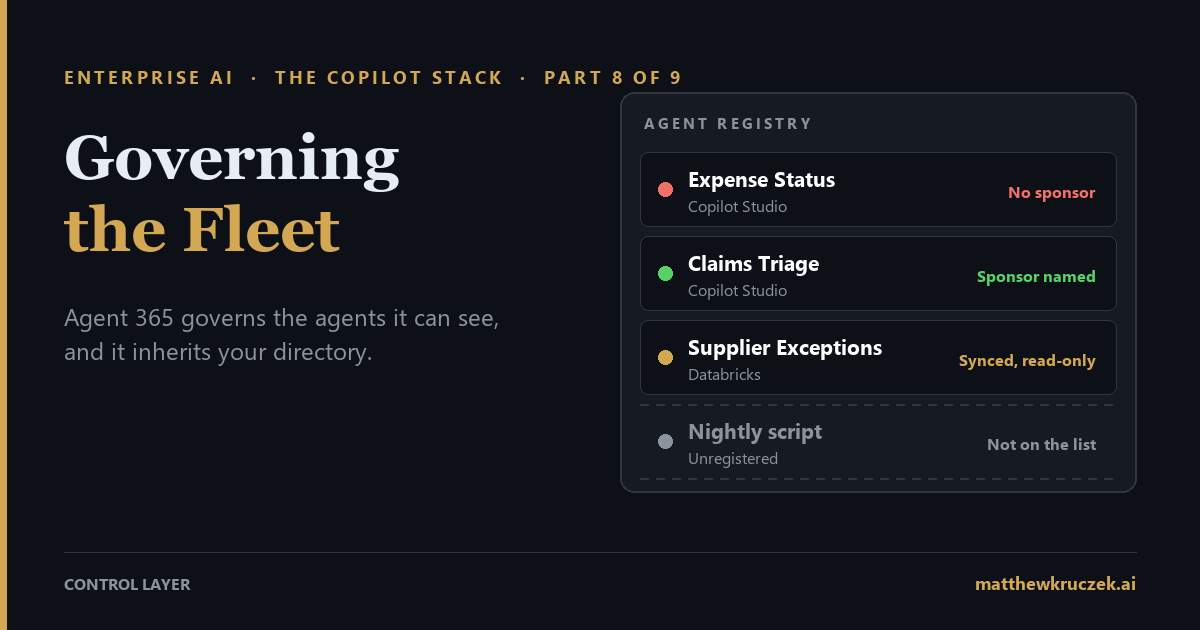
Agent 365 gives every AI agent in a company a place on one list, a person who answers for it, and an off switch. It can only do that for agents it can see, and how well it works depends on how tidy your employee directory already is.
If you only have a minute:
- Agent 365 manages agents. It does not build or run them. It keeps a list of every agent it can see, gives each one an identity and a named sponsor, applies rules about what it may reach, and connects to the security tools most Microsoft customers already own.
- Agents built with Microsoft's tools show up on their own. A Copilot Studio agent appears within seconds of being created. Agents on other AI platforms appear only after an administrator connects the platform and clicks Sync, and agents developers write themselves appear only if someone registers them.
- What it inherits is your directory. Every agent needs a sponsor, and handing an agent over when that sponsor leaves depends on the directory knowing who their manager is. Most Copilot Studio agents act as the person using them, so your existing rules for people do most of the governing.
- Protections start when an agent is approved. Policy templates only reach agents approved after the template exists. Real-time blocking is in preview, records rather than blocks by default, and lets an action through if the check takes longer than a second. Agent 365 block rules defined before July 1 stopped enforcing unless someone redefined them.
- The basic list is free. Oversight costs $15 per person per month. Agents need no license of their own. The license follows the people who use, own, or sponsor them, and it needs an E5-class base. Microsoft 365 E7 bundles it at $99.
- This post also closes the series with a buying order for the whole Copilot portfolio and a list of what is worth waiting for.
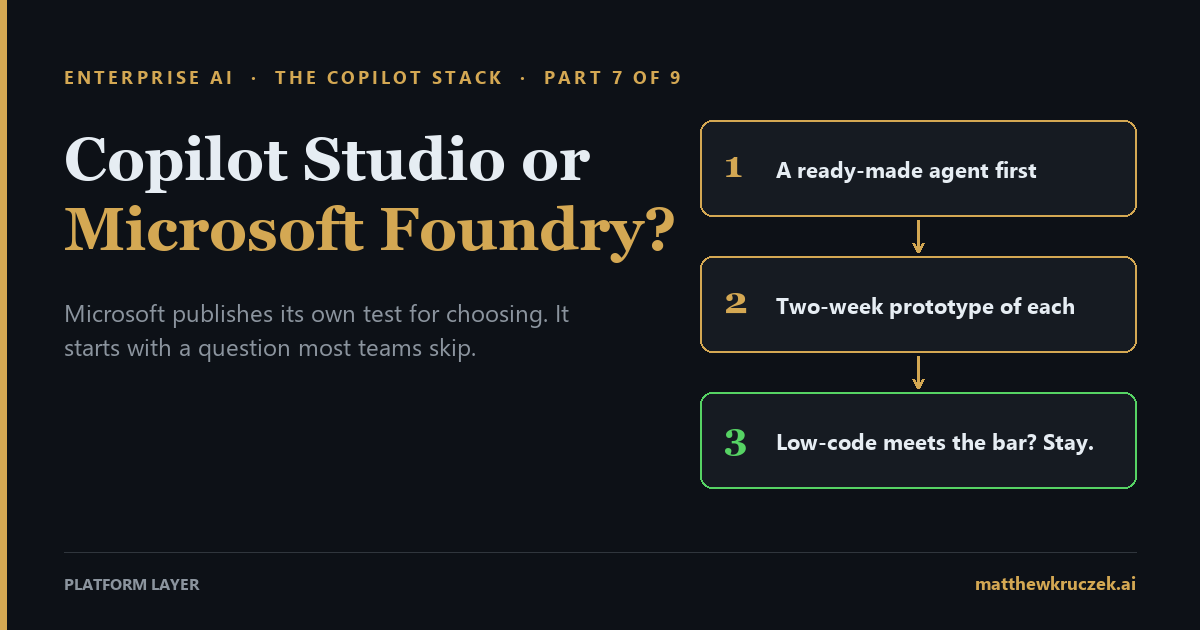
Part 7 left the finance team with an agent worth keeping. It tells employees where their expense reimbursement is, it lives in Copilot Studio, and one finance analyst is the person who answers for it.
Then she takes a job at another company.
The agent keeps answering questions, because nothing about it depended on her still being there. It still reads the finance system, and its connections still work. What changed is that nobody in the company is now responsible for it. If the finance system changes its fields next month, or the agent starts giving wrong answers, there is no one whose job it is to notice.
Multiply that by every agent a company has. In November 2025 Microsoft reported more than 100,000 agents on its own tenant. By March 2026 it reported visibility into more than 500,000 agents across the company. The figure counts agents on the list, whether or not they run every day. Even so, it grew fivefold in under four months at a single company.
Agent 365 is Microsoft's answer to the question that follows: who is responsible for each of these, and what are they allowed to do?
What it actually is
Agent 365 is a management layer for AI agents. It does not build agents and it does not run them. Copilot Studio, Foundry, and other platforms do that. Agent 365 keeps track of them.
It does four jobs.
- It keeps a list. The registry is one inventory of every agent it can see, across Microsoft's tools and the other platforms you connect, with who built each one, what it connects to, and whether anyone owns it.
- It gives each agent an identity. The identity lives in Microsoft Entra, the directory where your employee accounts already live. An agent gets its own entry there, the way a new hire gets an account, instead of borrowing a person's login.
- It applies rules. Administrators set what an agent may reach, which tools it may use, and what protections switch on when it is approved.
- It connects agents to your security tools. Purview, Microsoft's data protection and audit product, and Defender, its security product, watch what agents do and can stop some actions.
It lives in the Microsoft 365 admin center, and its core became generally available on May 1, 2026.
The identity underneath
The identity part has its own name, Microsoft Entra Agent ID, and two of its rules shape everything else in this post.
Every agent identity is made from a blueprint, a template that the build tool usually creates for you. All Copilot Studio agents in a company, for example, come from one blueprint. The blueprint holds the credentials, and the agents themselves hold none of their own. That keeps passwords out of individual agents, and it also means a compromise of a blueprint's credentials reaches every agent made from it.
Every agent identity also needs at least one sponsor: a named person who answers for it. That was the departing analyst's role. Entra also has an optional owner, the technical caretaker who can change an agent's settings, and the two are often different people.
The Anatomy series covered why an agent needs an identity of its own in The Front Door. Entra Agent ID is Microsoft's implementation of that idea.
Underneath, an agent identity is the same kind of record Entra has long used for software that signs in on its own, with an agent label added. The blueprint and the sponsor are the new parts, along with sign-in and lifecycle rules written for agents.
How an agent gets on the list
Agent 365 sees an agent when something tells it the agent exists. That happens in five ways, and how automatic each one is depends on where the agent was built.
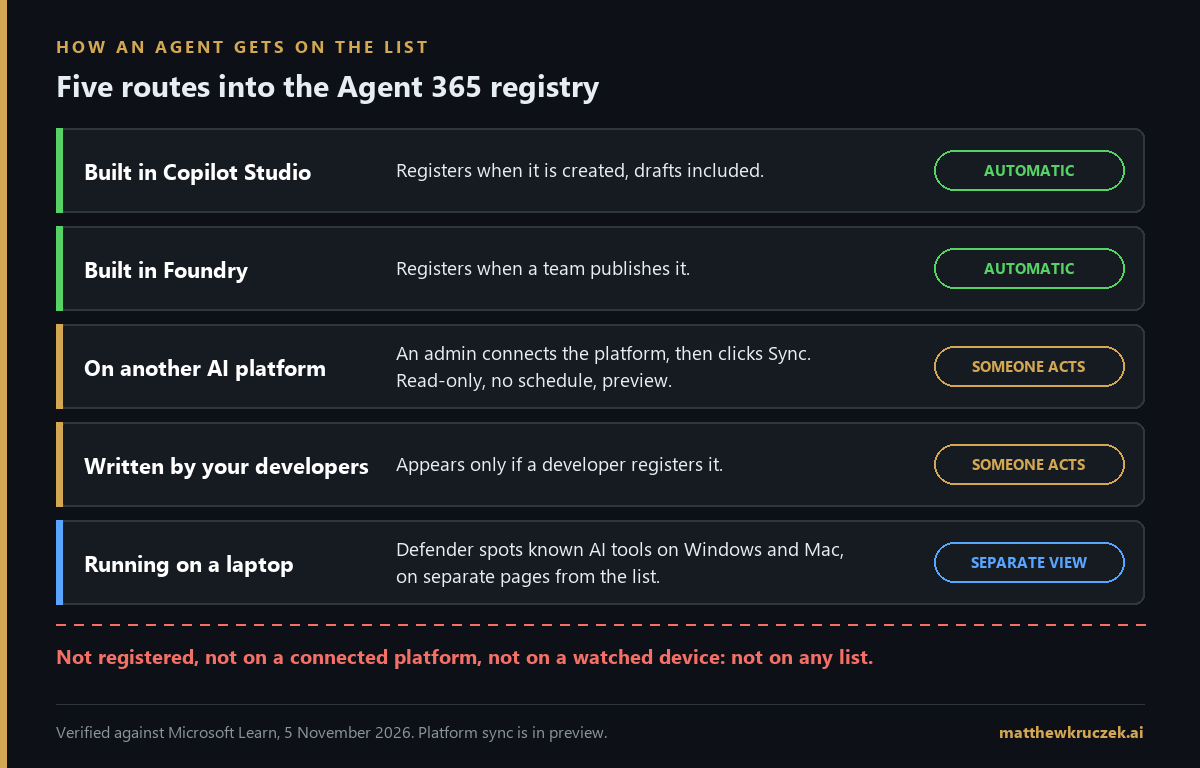
Built in Copilot Studio. The agent registers automatically when it is created, drafts included. This corrects a common worry about Copilot Studio, that anyone can build an agent and nobody finds out. Visibility is now automatic. Review is still a separate step someone has to own.
Built in Foundry. Every agent a team publishes appears in the registry automatically.
Built on another AI platform. Amazon Bedrock, Google Vertex AI, Salesforce Agentforce, Databricks, Anthropic's Claude, Oracle, and Snowflake can all be connected. An administrator sets up each connection with a key from that platform and then clicks Sync. There is no schedule, so the list is only as current as the last time someone clicked. The connection is read-only by design, and an agent deleted on the other platform may stay on the list. This whole route is in preview.
Written by your own developers. A code agent appears if a developer registers it, using Microsoft's toolkit, a command-line tool, or an uploaded description file, or if it runs on one of the connected platforms above. If nobody registers it, it is not on the list.
Running on a laptop. Defender can discover AI tools running on Windows and Mac computers, such as Claude Code or GitHub Copilot's command-line tool, by watching for their processes. These show up on separate pages rather than in the main list. The admin center's view covers only Windows devices managed by Intune, Microsoft's device management product, and for several command-line tools it can detect them but not block them. The discovery is also not a complete inventory of installed software.
An agent that nobody registers, running on a platform nobody connected or a device Defender does not watch, does not appear anywhere. The length of the list measures how many agents registered, and says little about how many exist.
Activity data is kept for 30 days. For agents on other platforms, it starts when the company activates its Agent 365 licenses.
What it inherits
Every product in this series inherits something from the company that buys it. Microsoft 365 Copilot inherits your SharePoint permissions. Copilot Studio inherits your documented processes.
Agent 365 inherits your directory: the record of who works here, who they report to, and what they are allowed to reach. In practice that comes down to five things.
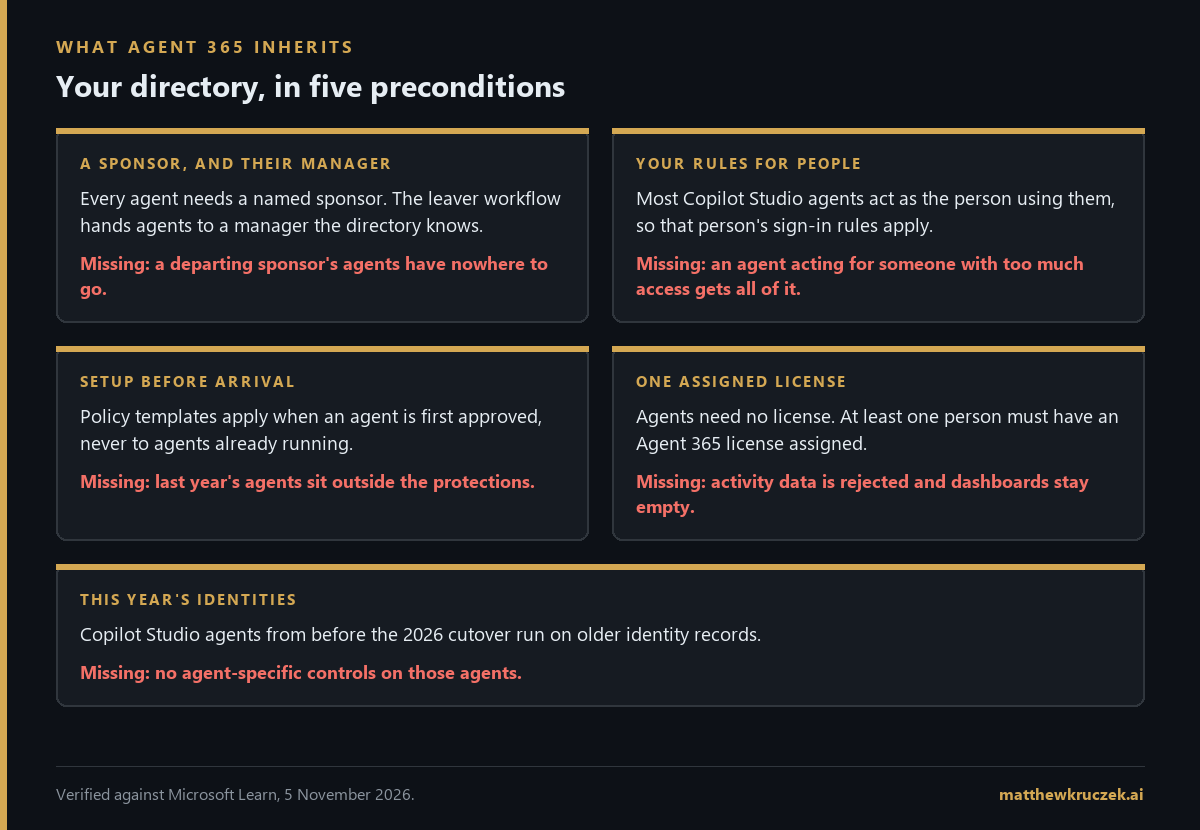
A person behind every agent, and a manager behind every person. Each agent identity needs a sponsor. When a sponsor leaves, Entra's leaver and mover workflows include a step that transfers their agents to their manager. The workflow is part of the licensed tier, so it runs only in companies that have licensed it and set it up, and it can only hand an agent to a manager the directory knows about. In a company where manager fields were never filled in, the finance team's agent has nowhere to go.
Your existing rules for people. Most Copilot Studio agents act on behalf of the person using them. When an employee asks the expense agent about a reimbursement, the agent reads the finance system with that employee's access. Conditional Access, Entra's sign-in rules, then applies whatever rules cover that employee. A rule aimed at the agent itself applies to a Copilot Studio agent only when it runs in Teams. Tools added inside Copilot Studio as custom connectors, tool servers, or direct web calls add no permissions to the agent's identity for those rules to act on. And an agent that reaches a system with an API key, a shared password for software, skips Entra and its sign-in rules entirely.
So for most agents, the oversharing cleanup from Part 1 doubles as agent governance. The agent can reach whatever the person can reach.
Setup done before the agents arrive. A policy template is a checklist an administrator applies when approving an agent. It switches on protections across Entra, Purview, and Defender in one step. Templates apply only when an agent is first approved. Editing a template later changes nothing for agents already running. A one-time bulk action can apply a template to existing agents, but only those with an agent identity. A company that turns on Agent 365 after a year of agent building has a backlog to work through, and the templates do not work through it on their own.
A license assigned to someone. Agents need no license of their own. The Agent 365 license follows the person benefiting from or responsible for the agent's actions. If no one in the company has a license assigned, the activity data agents send is rejected and the dashboards stay empty. Owning licenses is not enough. At least one has to be assigned to a person.
Agents on this year's identities. Copilot Studio agents built before the 2026 cutover run on older identity records that Entra treats as ordinary applications, without the agent-specific controls. Microsoft's own pages give different answers on what happens to them. The Entra migration page, last updated in June, says there is no automated or in-place migration path and advises against recreating production agents until one exists. The newer Copilot Studio page, from September, says they are being migrated automatically and adds a manual migration tool in preview. The two pages also give different cutover dates, March 18 and May 2026. The newer page is the more likely current answer, and your Microsoft account team can confirm what applies to your tenant.
What "protected" means today
Agent 365 connects agents to Defender and Purview, and it is easy to read that as "our agents are protected." What that means today depends on how each agent was built and on settings that start in their most permissive position.
Real-time blocking is in preview. Defender can check a Copilot Studio or Foundry agent's actions as they happen and refuse risky ones. Both are preview features. The default rule records matching activity rather than blocking it, so blocking requires rules the security team writes.
The check lets actions through if it is slow. In Copilot Studio, the outside security check runs only on agents that let the AI choose their next step. If no answer comes back within one second, the default is to let the action proceed. Administrators can change that default to block.
Some block rules stopped working on July 1. On that date, agent security for Copilot Studio and Foundry moved from older Defender licenses to Agent 365. Copilot Studio's real-time protection through Defender for Cloud Apps continues unchanged for companies already using it. Agent 365 rules set to block, defined before July 1, stopped enforcing unless someone redefined them in the new policies screen. That is worth checking this week.
Data protection covers conversations with people. Purview's data loss prevention can block or audit what passes between agents and people, in Teams, SharePoint, OneDrive, and email. What an agent sends to its tools, or to another agent, is recorded in the audit log but not inspected. Content an agent creates also does not inherit the sensitivity label of the files it drew from, so a summary of a confidential document starts life unlabeled.
Block reaches different places for different agents. Blocking a Copilot Studio agent removes it from Copilot, Teams, Outlook, and other Microsoft 365 apps. Blocking a SharePoint or Foundry agent removes it from Copilot Chat only. Before an incident, someone should know which switch stops which agent.
What it costs
There are two parts to the bill: what Agent 365 charges to manage agents, and what each platform charges to run them.
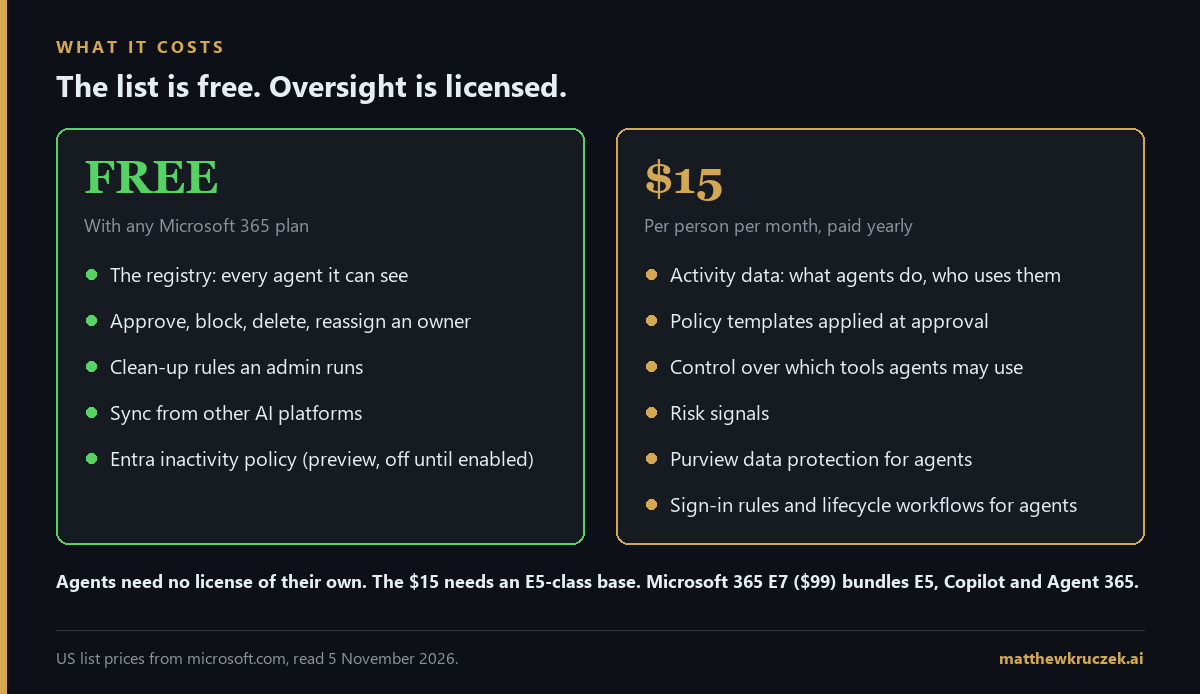
The list itself is free with any Microsoft 365 business, enterprise, education, or frontline plan. That covers the registry, the basic actions (approve, block, delete, reassign an owner), the clean-up rules, and sync from other platforms. Entra's default inactivity policy is free too: it notifies sponsors after 60 days without use, disables the agent at 90, and deletes it at 455. It is in preview and stays off until an administrator turns it on.
Oversight is licensed, at $15 per person per month, paid yearly. That buys the activity data, the policy templates, control over which tools agents may use, risk signals, Purview's agent features, and the sign-in rules and lifecycle workflows aimed at agents, including the sponsor handover above.
The $15 license needs a qualifying base. Microsoft 365 E5 qualifies. E3 with Copilot does not; E3 qualifies only with Microsoft's Defender Suite and Purview Suite added. Signed contracts keep their terms until renewal.
At list prices, E5 plus Agent 365 is $75 per person per month. E5 plus Microsoft 365 Copilot ($30) plus Agent 365 is $105. Microsoft 365 E7 is $99 and includes all three plus Entra Suite. For people who need Copilot as well, E7 is the cheaper route. For people who do not, E5 plus Agent 365 is.
The license count follows people. The licensing guidance covers everyone who interacts with, owns, manages, or sponsors a managed agent. An agent that acts as each employee who uses it can mean licensing every one of those employees. Two admin center reports, active users of agents and registry agent owners, give the starting numbers. A trial covers 25 people for 30 days.
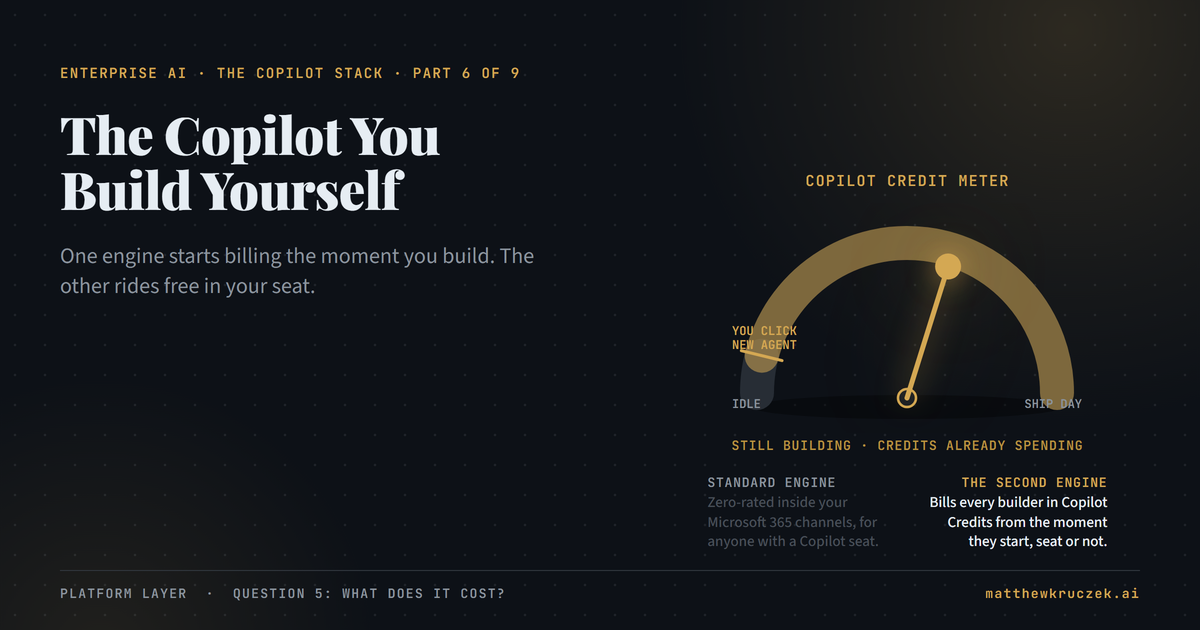
Agent 365 charges nothing per agent run. Copilot Studio agents spend Copilot Credits, as Part 6 covered. Foundry agents bill to Azure, as Part 7 covered. Agents on other platforms bill on those platforms. Agent 365 does not report cost per agent today. Microsoft announced in June that cost management is coming, without a date.
The verdict, in fit terms
Turn on the free tier now. Every company with Microsoft 365 has it already. Count the agents, look at how many have no owner, and switch on the inactivity policy. It costs nothing and answers the first question an auditor will ask.
License the people tied to agents that act on their own or touch customer data. Do it after each of those agents has a named sponsor, the directory has managers filled in, and the policy templates exist. Licensing first and cleaning up later leaves the backlog of agents approved before the templates outside their reach.
Wait before relying on it to govern other platforms. Sync from Salesforce, Amazon, or Databricks gives a view, read-only, refreshed by hand, in preview. Governing those agents still happens on their own platforms.
Closing the series: what to buy, in what order
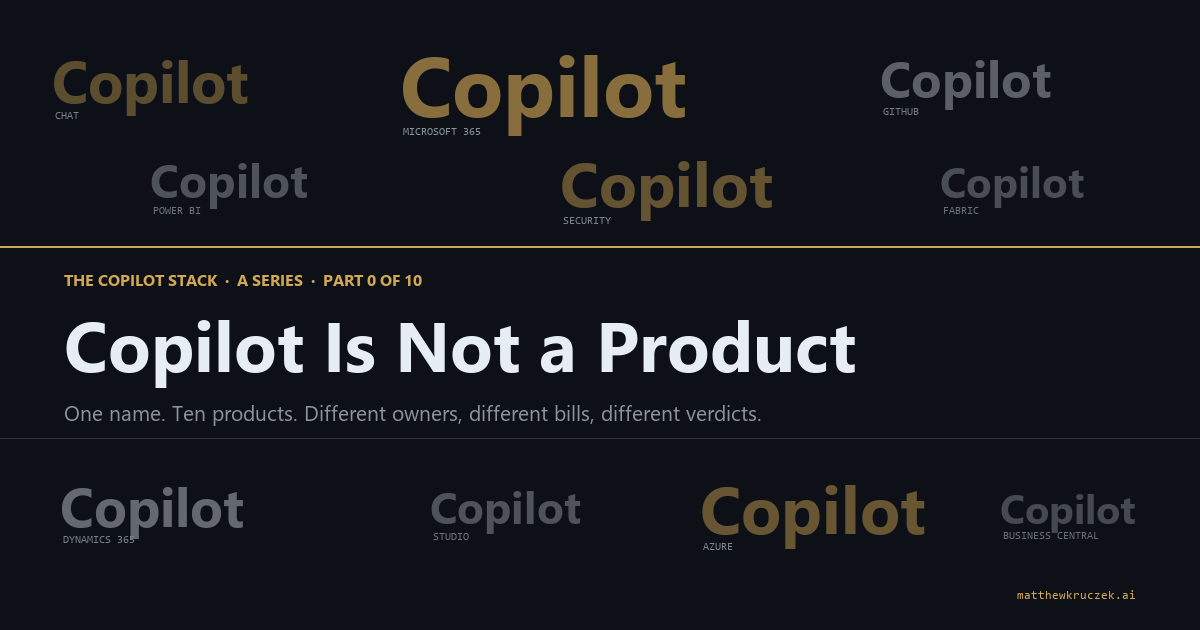
Part 0 argued that "Copilot" is a brand covering about a dozen products, arranged in layers from things you consume to things you build to things you govern. Companies tend to get value from them in roughly that order, and the common expensive mistake is buying out of order. The eight posts support this sequence.
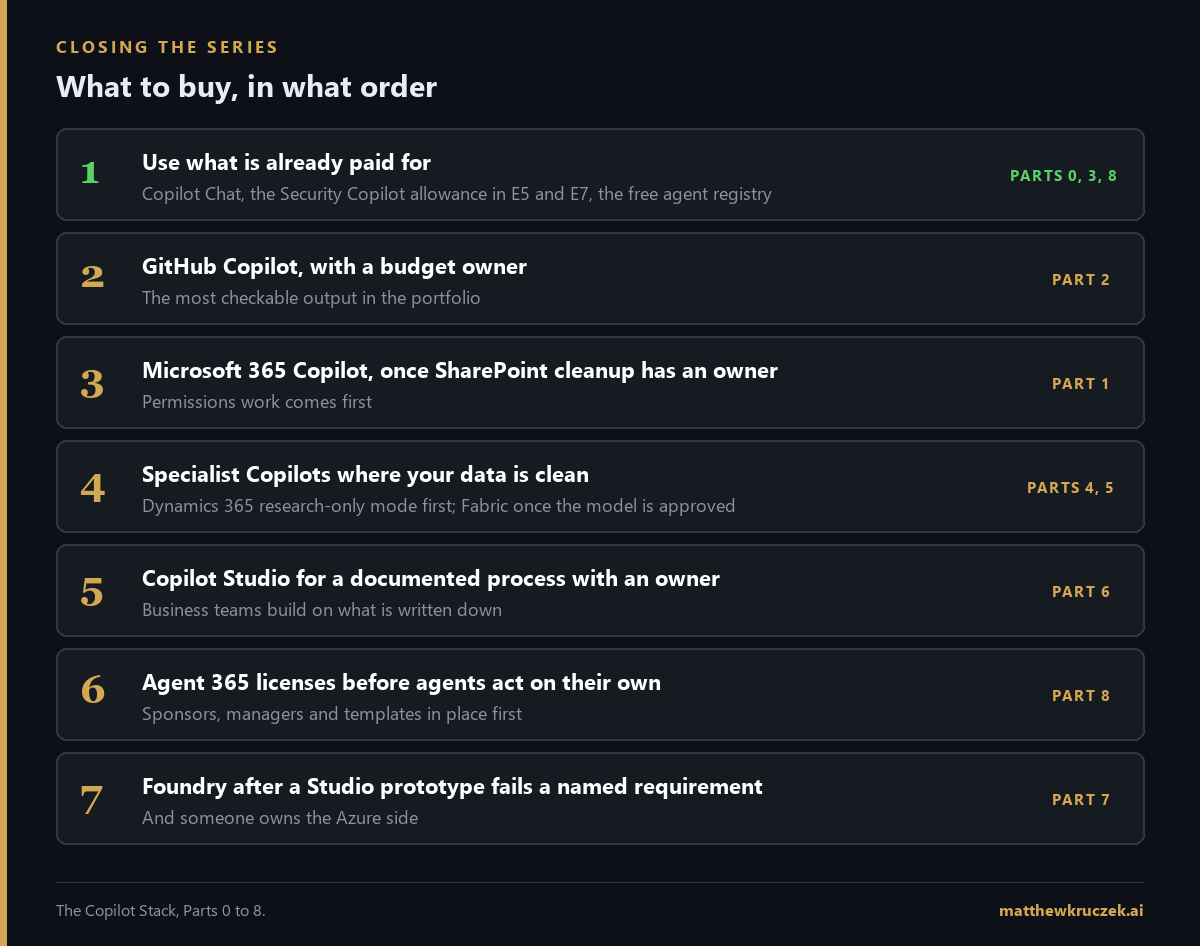
- Use what is already paid for. Copilot Chat comes with eligible Microsoft 365 plans. E5 and E7 include a monthly Security Copilot allowance (Part 3). The Agent 365 registry is free. Start the count of agents here.
- Give developers GitHub Copilot, with a named budget owner (Part 2). It is the product in the portfolio with the most checkable output.
- Buy Microsoft 365 Copilot once someone owns the SharePoint cleanup (Part 1). The assistant shows people everything they already have access to, so the permissions work comes first.
- Add the specialist Copilots where you own the system of record and its data is clean. Dynamics 365 agents in research-only mode before engage mode (Part 4). Fabric Copilot once the semantic model is approved for it (Part 5).
- Build in Copilot Studio when there is a documented process and a named owner (Part 6).
- License Agent 365 before the first agent acts on its own or on customer data. Sponsors, managers, and templates go in place first.
- Move to Foundry only after a Studio prototype fails a requirement you can name, and someone owns the Azure side (Part 7).
How that order changes with the estate:
- E3, mostly documents, mail, and meetings. Steps 1 to 3 cover most of the value. The licensed tier of Agent 365 needs a base change, so price it as part of an E5 or E7 decision rather than on its own.
- E5, agents built mainly in Microsoft's tools. The full order applies. If the people who need Agent 365 also need Copilot, compare E7 against the parts before buying either.
- Agents across several platforms and in your own code. Agent 365 gives one view across them, and control stays on each platform. Make registration a release step for code agents, or the list will cover Microsoft's agents and a fraction of the rest.
Companies under 300 people on Microsoft 365 Business plans get the free registry too. Check the qualifying base list before pricing the licensed tier.
What is worth waiting for
Each of these is announced or in preview. None of them should drive a purchase today.
- Sync from other platforms: preview, manual, and read-only. Start, stop, and delete actions on synced agents are announced as coming soon.
- Real-time blocking for Copilot Studio and Foundry agents: preview, recording rather than blocking by default.
- Blocking a single tool on your own tool servers: planned for a future release. Today an administrator can block a whole server.
- Cost per agent: announced in June, no date.
- Migration of older Copilot Studio agents to agent identities: under way according to Copilot Studio's documentation, not yet available according to Entra's.
- Blocking command-line AI tools on laptops: detection works for several of them, blocking does not.
The Monday checklist
Six things an IT or security lead can check this week.
- Open the registry and count. Write down the total and the number of agents with no owner. That is the baseline.
- Check manager fields in the directory. Every agent sponsor should have a manager recorded, or the leaver workflow has nowhere to send their agents.
- Confirm at least one Agent 365 license is assigned to a person. Purchased and unassigned produces empty dashboards.
- Find any block rules defined before July 1. Confirm they were redefined in the new policies screen.
- Ask which Copilot Studio agents still run on older identities. Your Microsoft account team can tell you what applies to your tenant.
- Make registration a release step. No code agent goes live until it appears on the list.
That completes the series. Part 0 has the map of all nine posts, and each of Parts 1 through 7 ends with its own checklist.
Product capabilities, licensing terms, and pricing in this post were verified against Microsoft's own documentation and pricing pages on 5 November 2026. Several features named here are in preview, and Microsoft's pages disagree on the migration of older Copilot Studio agents, as noted above. Confirm current terms before committing to a purchase.
Matthew Kruczek is Managing Director at EY, leading Microsoft domain initiatives within Digital Engineering. Connect with Matthew on LinkedIn to discuss how your organization should approach the Copilot portfolio.
References
- Official Microsoft Blog, Judson Althoff, "Introducing the first Frontier Suite built on intelligence and trust," March 9, 2026, and Microsoft Inside Track, "Deploying Microsoft Agent 365," November 21, 2025. The 500,000 and 100,000 agent figures.
- Microsoft Learn, Agent 365 overview, "Agent registry," and "Connect existing agents." What Agent 365 does, general availability, and how Copilot Studio, Foundry, and code agents register.
- Microsoft Learn, Foundry, "Agent 365 integration." Automatic registration of published Foundry agents.
- Microsoft Learn, Agent 365, "Connected platforms." Supported platforms, manual sync, read-only connections, and preview status.
- Microsoft Learn, Defender for Endpoint, "Local AI agent discovery," and Agent 365, "Local agents." Windows and macOS discovery, Intune scope, and detect-only tools.
- Microsoft Learn, Entra Agent ID, "Key concepts," "Agent identity blueprints," "Agent service principals," and "Owners, sponsors, and managers." Blueprints, credentials, and the sponsor requirement.
- Microsoft Learn, Entra ID Governance, "Agent ID governance overview" and "Agent sponsor tasks." The sponsor handover task in leaver and mover workflows.
- Microsoft Learn, Conditional Access, "Conditional Access for agents," Agent 365, "Agent identity," and Copilot Studio, "Govern agent identities." On-behalf-of access, Teams-only enforcement, tools that add no permissions, and the API key bypass.
- Microsoft Learn, Agent 365, "Policy templates" and "Agent settings." Activation-only templates and the one-time bulk action.
- Microsoft Learn, Agent 365 developer FAQ and "Observability concepts." License assignment and rejected activity data.
- Microsoft Learn, Entra, "Migrate Copilot Studio agents to Agent ID," and Copilot Studio, "Govern agent identities" and "Migrate to Entra Agent ID (preview)." The two accounts of legacy agent migration.
- Microsoft Learn, Defender, "Real-time protection for AI agents" and "Transition agent security to Agent 365," and Copilot Studio, "External security provider." Preview status, audit-only defaults, the one-second default, and the July 1 changes.
- Microsoft Learn, Purview, "Agent 365 data security and compliance." Data loss prevention scope, audit coverage, and labels on new content.
- Microsoft Learn, Agent 365, "Agent actions," and "Data residency, protection, and compliance." Block reach by agent type and 30-day retention.
- Microsoft Learn, Entra ID Governance, "Agent default inactivity policy." The 60, 90, and 455 day stages.
- Microsoft 365 service description, "Microsoft Agent 365," and Microsoft licensing FAQ for Agent 365. Free and licensed features, qualifying bases, and who needs a license.
- Microsoft 365, "Enterprise plans and pricing," and Microsoft Agent 365 product page. List prices for Agent 365, E5, E7, and Microsoft 365 Copilot.
- Official Microsoft Blog, Judson Althoff, "Achieving success with AI," June 16, 2026. The cost management announcement.