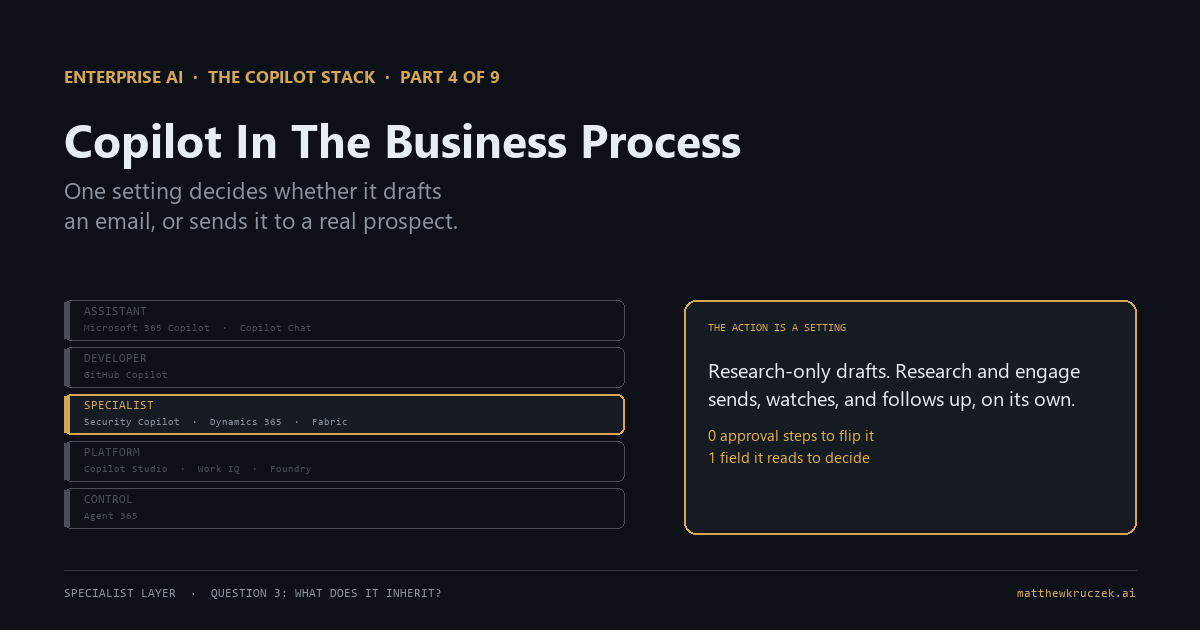
One setting turns the Sales Qualification Agent from a researcher into something that sends real outreach emails to real prospects on its own judgment. Flipping it takes one click and no approval step.
If you only have a minute:
- This is the first product in the series where Copilot writes directly to the system of record. Earlier Copilots draft a message, summarize a case, or answer a question. Dynamics 365's agents update records, send emails, and close cases without a person approving each action.
- The clearest example is a documented on/off setting, not a hidden default. The Sales Qualification Agent has two modes. One researches a lead and hands a draft to a seller. The other sends the outreach email itself, reads the reply, and follows up again, on its own.
- Four autonomous service agents reached general availability in October 2025. Case management, customer intent, quality evaluation, and knowledge management now run inside Customer Service, and most executives' mental model still stops at a chat assistant.
- What it inherits is data quality, and Microsoft's own implementation guidance says so directly. AI success depends on data quality, and cleaning it is described as a human responsibility the tooling doesn't perform for you.
- Pricing runs in three tiers per app, and the metering underneath the agents is still unsettled. Microsoft's own pricing page calls it Copilot Credits. Its own preview documentation for the same billing calls the unit a message. Both are Microsoft's own pages, and the mismatch means the billing model itself is still moving.
- Running out of capacity doesn't produce a surprise bill. The agent just stops working until more capacity is added, a different failure mode than the throttle-then-overage pattern in Part 3.
Part 3 covered the specialist layer's first stop, Security Copilot, watching the estate for threats. This post covers its second stop: Dynamics 365, running inside the systems that hold the customer relationship and the money.
Every earlier Copilot in this series drafts something and waits for a person to send it. The Sales Qualification Agent, with one setting flipped, sends the email itself and follows up on its own before anyone reviews what it wrote.
What it actually is
Dynamics 365 Copilot is Copilot capabilities built into each Dynamics app, Sales and Customer Service furthest along, plus a newer layer of named autonomous agents running underneath each app, not a single product with one name.
The assistant is the older half. Ask it to summarize an opportunity, draft a follow-up email, or catch you up on a case, and it answers from data already sitting in the CRM. That part behaves like every other Copilot in this series: it drafts, it summarizes, a person decides what happens next.
The agents are the new half, and they don't wait for a person to drive each step:
- Sales: the Sales Qualification Agent and Sales Opportunity Agent are live now; a Sales Close Agent is in preview.
- Customer Service: the Case Management Agent, Customer Intent Agent, Quality Evaluation Agent, and Customer Knowledge Management Agent all reached general availability in October 2025.
Four autonomous agents reached general availability in Dynamics 365 Customer Service in October 2025: case management, customer intent, quality evaluation, and knowledge management.
Source: Microsoft Learn, Autonomous service agents in Dynamics 365 Contact Center
The assistant answers a question. The agent picks up a piece of work and carries it through, reporting back only when it's done, or not reporting back at all, depending on a setting someone chose.
What job it does on an ordinary Tuesday
A seller walks away from a trade show with forty new leads. Assigned to the Sales Qualification Agent in its research-only mode, it checks each one against the ideal customer profile, drafts an outreach email for the ones worth pursuing, and hands the seller a ranked list to send personally. The seller still presses send.
Assign the same forty leads with the engage setting turned on, and the agent does all of that and then keeps going. It sends the email itself. It watches the mailbox. A reply that signals real interest gets a meeting booked. A reply that signals disinterest gets logged and the agent moves to the next lead, without a person in that loop.
Over in Customer Service, a routine support case comes in overnight. The Case Management Agent enriches it with the customer's order history, works through the standard follow-ups, and by morning either closes what policy already covers or hands off whatever's left with the boring part already done. The human reviewing it in the morning is reviewing a case that's already ninety percent worked, not one still sitting in a queue.
What it inherits
Two things carry over from whatever state your CRM was already in: the quality of the record the agent is about to act on, and who decided which mode it's allowed to run in.
The record has to be worth acting on
Microsoft's own Success by Design implementation guidance puts data quality ahead of almost everything else in a Dynamics 365 rollout, and says plainly why:
"With artificial intelligence (AI) and machine learning (ML) becoming more prominent in most digital transformation projects, and the fact that their success depends on data quality, it's wise to take data governance seriously."
Source: Microsoft Learn, Manage your data in Dynamics 365 implementation projects
That same guidance calls cleansing and standardization typically a human responsibility. Nothing in Copilot fixes a duplicate contact record, a stale phone number, or an opportunity missing the field the agent needs to check fit. It just acts on whatever is there.
An assistant that only answers questions turns a bad record into a bad answer, and a person reads that answer before doing anything with it. An agent that writes back turns a bad record into a bad action nobody reviewed first. A duplicate contact means the outreach agent can email the same prospect twice from two different reps in the same week. A missing field in the ideal-customer-profile check means a real lead gets scored the way an empty field scores, not the way that customer would actually score.
The action is a setting, not a review process
The distance between research-only and engage is narrow. Both modes research a lead and draft an email. Only the engage mode sends anything. It sends the outreach email, reads what comes back, and if the reply signals interest, follows up again on its own, all without a person in the exchange.
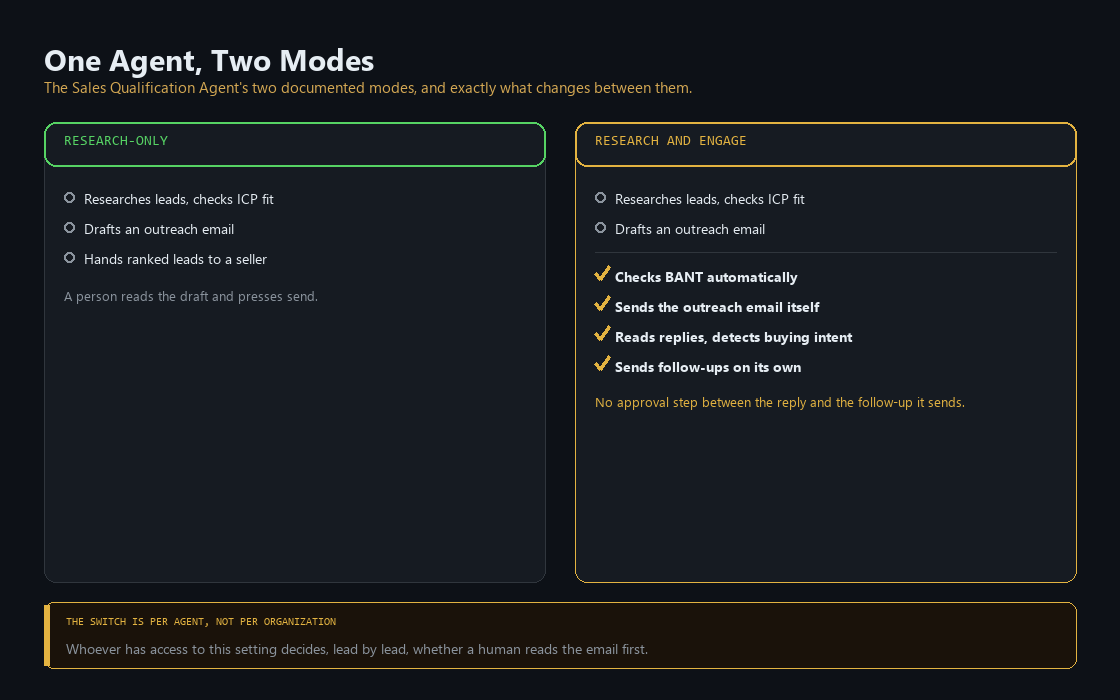
Microsoft's own documentation for the agent states plainly that it doesn't replace your judgment or decision-making process, and points to a separate Responsible AI page for each mode, a signal from Microsoft itself that the two modes carry different risk. The switch exists, it's documented, and it's still just a switch. Nothing about flipping it from research-only to engage requires a sign-off, a pilot period, or a second person's approval. Whoever has access to that setting decides, for every lead that agent touches afterward, whether a human reads the email before a prospect does.
What it takes to run
The data-quality work has to happen before the switch does, not after. Before any agent runs in an autonomous mode, someone needs to check that the specific fields it reads, the ideal-customer-profile fields for Sales, the case history and entitlement data for Customer Service, are actually populated and deduplicated. That's a data governance task, not a Copilot configuration task, and Microsoft's own guidance treats it as a separate workstream for exactly that reason.
The mode setting needs an owner, and that owner should treat flipping it the way they'd treat a go-live, not a checkbox in an admin panel. It's set per agent, not once for the whole org, which is useful: a RevOps lead can turn on engage mode for one segment or one team first and watch what happens before rolling it out further.
Budget the consumption capacity honestly. The agents draw from a pooled credit or message allowance layered underneath the per-seat license, and that allowance is finite. A team that starts running engage-mode agents across a full pipeline will use it faster than a team only using the chat assistant occasionally.
What it costs, and is it worth it
Pricing runs per app, in three tiers.
Dynamics 365 Sales:
- Professional: $65/user/month
- Enterprise: $105/user/month, includes agent access (Sales Qualification, Sales Opportunity; Sales Close Agent in preview)
- Premium: $150/user/month, adds 1,000 Copilot Credits per user per month plus sales insights and data enrichment
Dynamics 365 Customer Service:
- Professional: $50/user/month
- Enterprise: $105/user/month, adds Copilot in Customer Service
- Premium: $195/user/month, adds the base credit capacity the four autonomous agents run on
- Contact Center, a separate product: $110/user/month
The metering underneath those credits is still moving. Microsoft's own pricing page for Sales calls the unit a Copilot Credit. Its own consumption-billing documentation for that same capability is marked prerelease, subject to change, and describes the metering unit as a message. Two names for the same meter, in two of Microsoft's own pages, means the billing model itself hasn't settled yet. Don't commit to a specific per-credit dollar figure from a reseller site while Microsoft's own pages still disagree on what to call it.
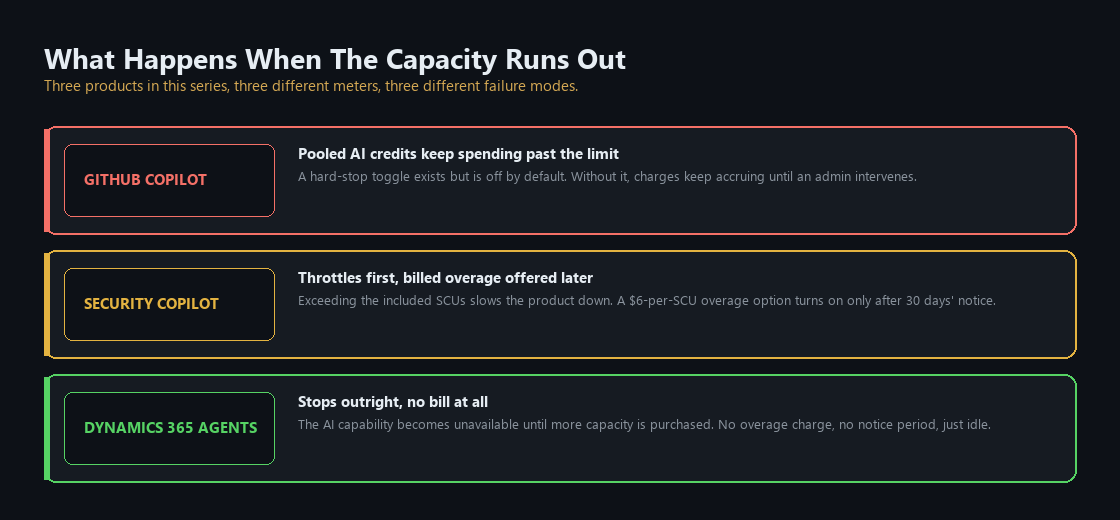
When the included capacity runs out, the behavior is different from the rest of this series. GitHub Copilot's pooled credits keep spending until an admin manually flips a hard-stop toggle. Security Copilot throttles first and offers a billed overage later, with thirty days' notice. Dynamics 365's agents just stop. The AI capability becomes unavailable until more capacity is purchased. No overage bill arrives. Running dry here doesn't generate a surprise invoice. It leaves an agent idle mid-pipeline until someone notices.
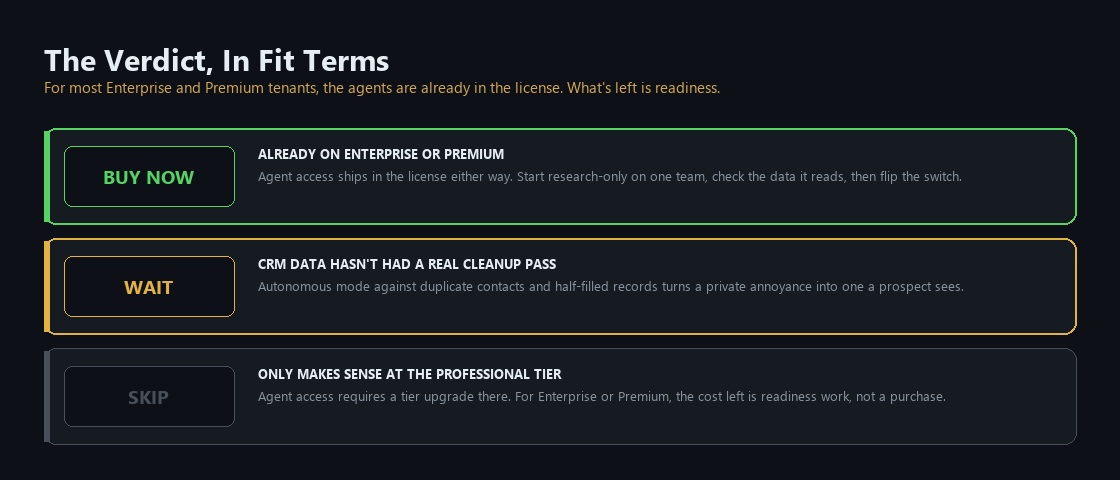
Buy now if you're already on Enterprise or Premium, since agent access ships in the license you're paying for either way. Start with research-only mode on one team, run the data-quality check on the fields that team's agent actually reads, and only flip to engage mode once that's done.
Wait if your CRM data hasn't had a real cleanup pass. Turning on an autonomous mode against duplicate contacts and half-filled opportunity records converts a private annoyance into something a prospect sees.
Skip only makes sense at the Professional tier, where getting agent access at all means upgrading a tier you may not otherwise need. For anyone already on Enterprise or Premium, the agents are sitting in the license unused, and the actual cost is the readiness work, not another purchase.
The Monday checklist
Four things a RevOps or Customer Service operations lead can check this week.
- Confirm your Dynamics 365 tier, and whether agent access is already included in your license or would require an upgrade.
- Find every agent currently set to an autonomous or engage mode and confirm a specific person chose that setting on purpose.
- Run a data-quality pass on the exact fields the agent you're about to enable reads, not the whole database, before flipping anything to autonomous.
- Pull current Copilot Credit or message consumption against your included allowance, and treat the terminology itself as unsettled until you've checked the current licensing guide directly.
What comes next
Part 5 moves to Fabric and Power BI Copilot, where the semantic model underneath the chat interface is the actual product being sold, and getting it right is most of the work before Copilot ever answers a single question.
Product capabilities, licensing terms, and pricing in this post were verified against Microsoft's own documentation on 28 August 2026. The consumption-based billing model for Dynamics 365 agent capabilities is explicitly marked prerelease by Microsoft and can change. Check before you sign anything.
Matthew Kruczek is Managing Director at EY, leading Microsoft domain initiatives within Digital Engineering. Connect with Matthew on LinkedIn to discuss how your organization should approach the Copilot portfolio.
References
- Microsoft Learn, "Copilot in Dynamics 365 Sales overview" and "AI agents and apps for sellers," embedded assistant description, agent roster (Sales Qualification Agent, Sales Opportunity Agent, Sales Close Agent in preview).
- Microsoft Learn, "Sales Qualification Agent overview," research-only versus research-and-engage capability comparison, autonomous email sending, buying-intent detection and follow-up.
- Microsoft Learn, "Autonomous service agents in Dynamics 365 Contact Center," Case Management Agent, Customer Intent Agent, Quality Evaluation Agent, Customer Knowledge Management Agent, general availability October 2025.
- Microsoft Learn, "Manage your data in Dynamics 365 implementation projects" (Success by Design, Data Management), data quality as a governance pillar, cleansing described as a human responsibility.
- Microsoft Learn, "Introduction to the Dynamics 365 Implementation Guide" (Success by Design), AI and agent framing, human-in-the-loop scaling guidance.
- Microsoft Learn, "Manage consumption-based billing for agent capabilities" (Dynamics 365 Sales), prerelease/preview status, message-based metering, capacity-exhausted behavior.
- Microsoft, Dynamics 365 Sales pricing page, Professional/Enterprise/Premium pricing, included Copilot Credits at the Premium tier.
- Microsoft, Dynamics 365 Customer Service pricing page, Professional/Enterprise/Premium/Contact Center pricing.